Driving in Dubai means passing through toll gates daily. If your Salik balance is insufficient, you may be fined AED 50 per gate crossing. Many drivers only know about petrol station recharge options. However, faster and more reliable methods are available today. This guide explains how to complete a Salik recharge online, set up your account properly, activate auto top-up through your bank, and check your balance before fines are issued.
What is Salik, and how does the Toll System work?
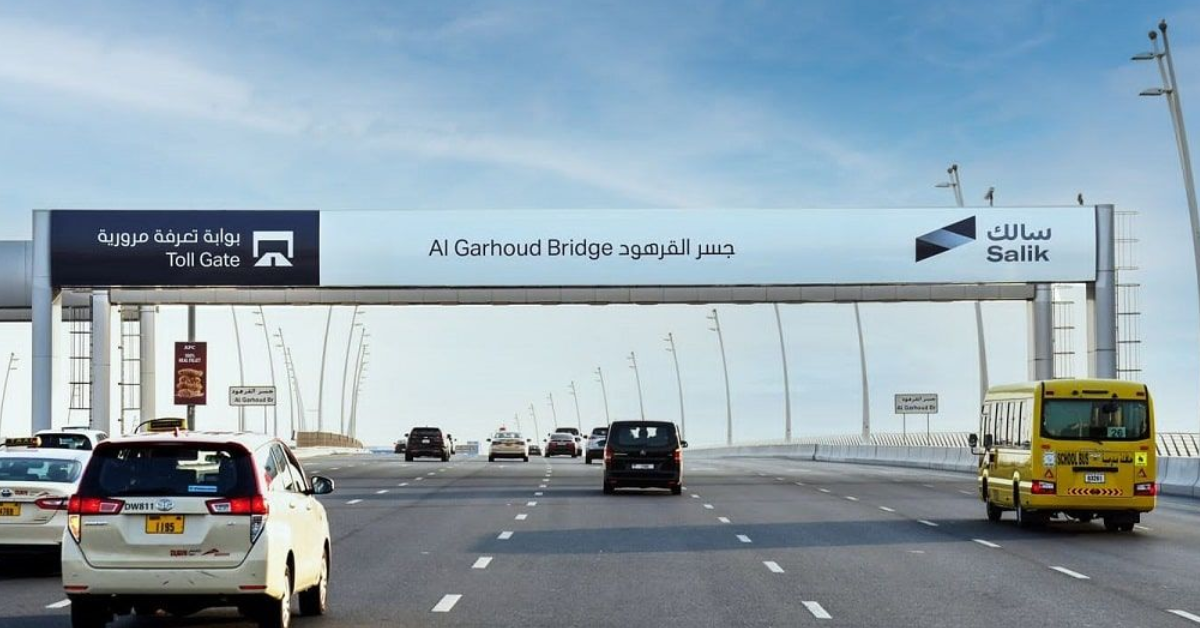
Salik is Dubai’s electronic toll collection system managed by the Roads and Transport Authority (RTA). There are no toll booths. Instead, cameras scan your license plate and automatically deduct the toll from your Salik wallet. Each time you pass a toll gate, a fixed fee is charged. If your account has an insufficient balance, penalties apply. According to RTA regulations, failing to maintain sufficient credit can result in a fine of AED 50 per crossing after the grace period.
Maintaining an active and funded account is therefore essential.
Salik Account Setup: Step-by-Step Registration
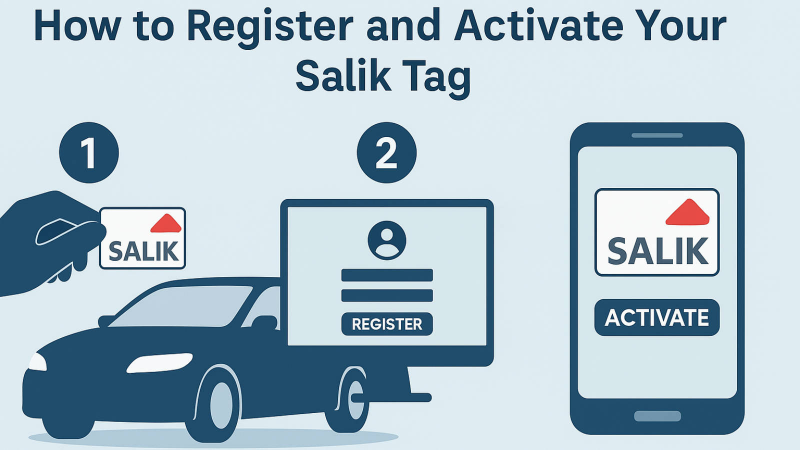
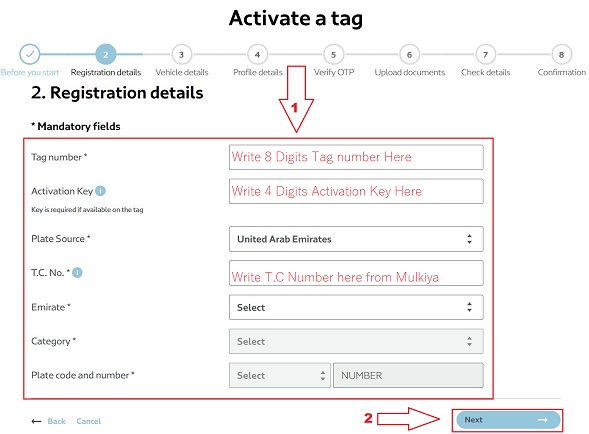
Before you can perform a Salik recharge online, you must set up your Salik account. Registration is simple and usually takes less than 10 minutes. You can register through the official Salik website or the Salik mobile application.
Steps to Register a Salik Account
- Visit the official Salik portal.
- Select “Register”.
- Enter your vehicle plate number and Emirate.
- Provide Emirates ID and contact details.
- Create login credentials.
- Verify via OTP sent to your mobile.
Once activated, your dashboard lets you to manage vehicles, recharge your credit, and check your Salik balance anytime.
Practical Tip: If you are renting a car, confirm with the rental company whether Salik charges are billed separately or deducted automatically.
How to Complete Salik Recharge Online?
Digital payment options are the most efficient way to avoid fines. Unlike traditional recharge cards, online methods update instantly and provide confirmation receipts.
Below are the most reliable options.
1. Recharge via Salik Mobile App:
Residents widely use the Salik app because it provides real-time balance tracking.
Steps:
- Log in to your account
- Tap “Recharge”
- Select the recharge amount
- Pay via debit or credit card
- Receive confirmation immediately
This method is suitable for quick top-ups while traveling.
2. Recharge Through the Salik Website
If you prefer desktop access, the official portal allows secure payment.
Process:
- Log in to your Salik account
- Go to “Manage Account”
- Choose “Top Up”
- Enter amount
- Pay securely
This is a common method for office users who manage multiple vehicles.
3. Bank Auto Top-Up (Recommended for Frequent Drivers)
Many UAE banks allow automatic Salik payments through online banking. Here’s how it works:
- Add Salik as a biller in your banking app
- Set a minimum balance threshold
- Choose an automatic recharge amount
- Funds are added when the balance drops below the limit
From experience, frequent commuters benefit most from this option. It reduces the risk of penalties and removes the need for manual reminders.
4. Kiosk and Petrol Station Recharge:
Although this article focuses on salik recharge online, offline methods still exist.
You can recharge at:
- ENOC and EPPCO petrol stations
- Authorized kiosks in Dubai malls
- Some exchange centers
However, manual recharge may take longer to reflect compared to digital payments.
How to Perform a Salik Balance Check?
Regular monitoring prevents unnecessary penalties. Salik provides several ways to track your credit. You should check your balance before long drives or when crossing multiple toll gates daily.
Methods for Salik Balance Check:
- Log in to the Salik mobile app
- Access the account summary on the website
- Enable SMS alerts for low balance notifications
Best practice is to maintain a minimum buffer, especially when commuting between business districts.

Common Reasons Drivers Receive Salik Fines:
Many penalties occur due to simple oversights rather than intentional violations.
Typical causes include:
- Expired payment card linked to auto top-up
- Not completing the Salik account setup correctly
- Ignoring low-balance SMS alerts
- Rental vehicle confusion regarding toll billing
Reviewing your account monthly helps identify issues early.
How Much Should You Maintain in Your Salik Account?
There is no minimum balance requirement, but frequent commuters often keep AED 100–200 in their wallets to avoid sudden depletion. If you cross multiple gates daily, setting auto-recharge at an AED 50 threshold with an AED 100 reload is practical. Tourists staying for a short period may prefer manual recharging based on estimated trip lengths.
Final Thoughts:
Managing your toll account in Dubai is straightforward when you use the right tools. Completing proper Salik account setup, enabling digital payments, and conducting regular Salik balance checks help you avoid AED 50 penalties at every gate. For regular commuters, bank auto top-up offers the most reliable solution. Occasional drivers may prefer manual recharge through the app or website.
Choosing the correct method helps you stay compliant, save money, and travel across Dubai without interruption.
FAQs About Salik Recharge Online
- How long does it take for Salik’s online recharge to reflect?
Online payments through the official app or website usually update instantly. Bank transfers may take a few minutes, depending on processing time.
- What happens if my Salik balance is negative?
If your account remains insufficient after the grace period, fines may apply per toll gate crossing. It is advisable to top up immediately once notified.
- Can I link multiple vehicles to one Salik account?
Yes. The system allows adding multiple vehicles to asinglee profile for easier management.
- Is auto top-up safe?
Yes. UAE banks follow secure digital payment protocols. Always ensure your banking app is up to date and that your card details are valid.
- Can tourists use Salik recharge online?
Yes. Visitors driving rental cars can create accounts if needed, but most rental companies manage toll billing separately.